
The Best Free Tools Every Tech Creator Should Know
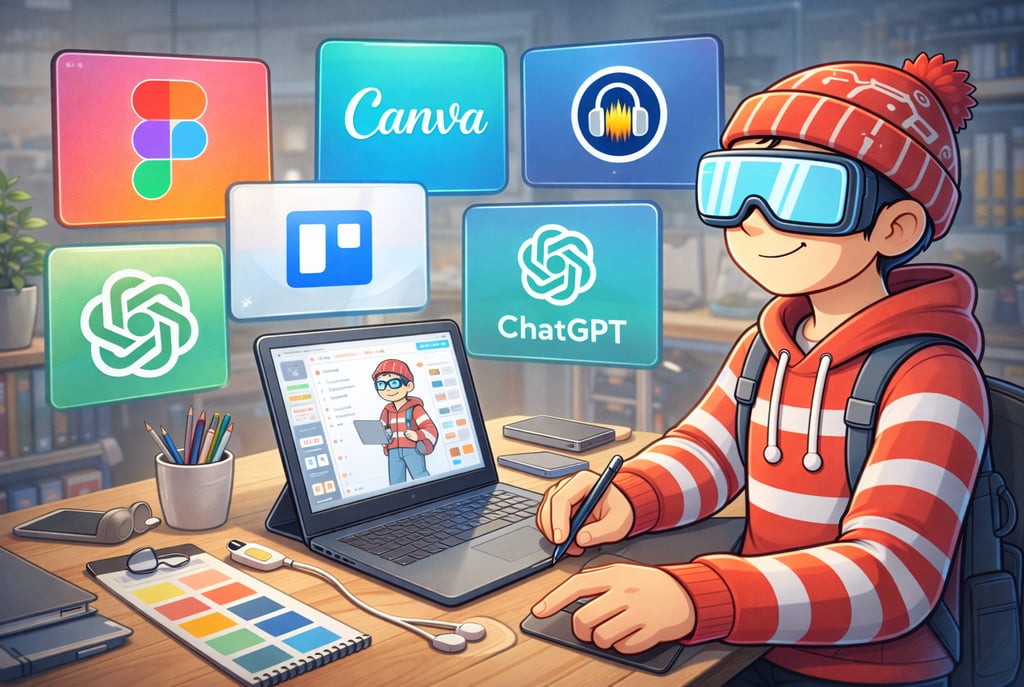
You don’t need expensive software to create meaningful work. In this TechNaldo guide, we break down the best free tools for writing, design, video, AI, productivity, and research — tools that actually fit into real workflows without adding friction. A practical, honest look at how to build and create smarter without paying upfront.
There’s a quiet lie floating around creator culture.
It says you need better tools before you can do better work.
A faster laptop.
A premium subscription.
The “right” software stack.
Something that makes it feel official.
Most of the time, that’s just procrastination wearing nicer clothes.
The truth is less exciting but far more empowering: modern free tools are genuinely good. Not “good for free.” Just good.
Good enough to write, design, edit, publish, organize, and ship real work that people actually use.
The hard part isn’t finding tools.
It’s knowing which ones won’t get in your way.
This list isn’t about stacking apps until your workflow collapses. It’s about tools that earn their place by quietly doing their job — then getting out of the way.
What Makes a Free Tool Worth Recommending
Before naming anything, let’s talk criteria.
A lot of tools are free because they’re unusable without upgrading. Those don’t count.
For a free tool to be worth recommending, it needs to do at least a few things well.
It should:
solve a real problem, not a theoretical one
have a free tier that’s actually usable
avoid constant upgrade pressure
fit naturally into a workflow
teach you something transferable
The best free tools don’t feel temporary. They feel like training wheels you might never need to take off.
With that in mind, let’s get into it.
Writing and Thinking Tools
Creation usually starts with words. Even visual projects begin as ideas that need somewhere to land.
Google Docs
Not exciting. Still undefeated.
Google Docs works because it removes friction. You open it. You type. You share. It doesn’t try to be clever.
The real power isn’t formatting or features. It’s reliability. Your ideas aren’t locked to a device. You don’t worry about saving. Collaboration is effortless.
If a tool lets you forget about it while you work, it’s doing its job.
Why it’s future-proof:
Writing tools don’t need innovation every year. They need stability. Google Docs nails that.
Notion (Free Tier)
Notion can do too much. That’s both its strength and its trap.
Used carefully, the free tier is excellent for:
notes
simple databases
content planning
personal knowledge systems
The mistake is trying to build a second brain before you’ve built the habit of thinking clearly.
Use Notion to support thinking, not replace it.
Why it’s worth using:
It teaches structure. And structure, once learned, transfers to any tool.
Obsidian (Free, Local)
Obsidian is for people who think in connections.
It stores notes locally. No cloud dependency. No forced structure. Just markdown files and links between ideas.
You don’t need to use every feature. Start simple. Let complexity emerge if it earns its place.
Why it matters:
It reinforces that your ideas belong to you, not a platform.
Design and Visual Tools
Design doesn’t have to mean “graphic designer.” It means making things understandable.
Canva (Free Tier)
Canva gets unfair criticism because it’s popular.
The free tier is powerful enough for:
social graphics
presentations
basic branding
thumbnails
What Canva does well is reduce intimidation. You’re not staring at a blank canvas wondering where to start.
The danger is over-designing. Use restraint.
Why it’s useful:
It lowers the barrier to visual communication. That matters.
Figma (Free Tier)
Figma is overkill for many people — until it isn’t.
The free tier is excellent for:
UI mockups
wireframes
design thinking
collaborative visuals
Even if you’re not a designer, learning Figma teaches you how digital products are structured.
Why it’s worth learning:
It changes how you think about interfaces.
GIMP / Krita
These aren’t beginner-friendly. But they’re powerful.
If you want to understand image manipulation at a deeper level, these tools force you to learn fundamentals.
Why they matter:
They prove that professional-grade tools don’t have to be locked behind subscriptions.
Video and Audio Tools
You don’t need a studio to tell a story.
DaVinci Resolve (Free Version)
This one feels like cheating.
The free version of DaVinci Resolve is powerful enough to edit professional video. Color correction, audio, effects — all there.
The learning curve is real. But so is the payoff.
Why it stands out:
It respects users instead of artificially limiting them.
Audacity
Simple. Reliable. Still useful.
Audacity handles:
voice recording
basic audio cleanup
simple editing
It’s not glamorous. It doesn’t need to be.
Why it lasts:
It does one job and does it well.
OBS Studio
If you’ve ever streamed, recorded tutorials, or captured your screen, you’ve probably used OBS.
It’s free. It’s powerful. It’s intimidating at first.
Once set up, it disappears.
Why it’s future-facing:
It democratized broadcasting long before “creator economy” became a buzzword.
AI and Assistance Tools
AI tools can be helpful — if you treat them like assistants, not replacements.
Chat-Based AI Tools (Free Tiers)
Used well, these tools help with:
brainstorming
drafting
summarizing
clarifying ideas
Used poorly, they replace thinking.
The value isn’t speed. It’s momentum.
Why they’re worth including:
They lower the activation energy to start.
AI Image Tools (Free Credits)
Free tiers are limited, but useful for:
concept exploration
mood boards
placeholders
They’re not a substitute for taste. They’re a way to explore faster.
Why they matter:
They compress experimentation time.
Productivity and Organization Tools
Organization should support work, not become the work.
Trello (Free Tier)
Simple boards. Clear states. Visual progress.
Trello works because it’s opinionated. Cards move left to right. Things get done or they don’t.
Why it’s effective:
It mirrors how humans naturally track progress.
Todoist (Free Tier)
Task managers fail when they become overwhelming.
Todoist keeps things simple. Tasks exist. You do them or you don’t.
Why it works:
Low friction beats complex systems.
Google Calendar
Not exciting. Still essential.
Time awareness is productivity. Everything else is optimization theater.
Why it matters:
If it’s not scheduled, it’s imaginary.
Research and Reference Tools
Good creators read widely.
Pocket (Free)
Save now. Read later. Actually read later.
Pocket removes the excuse of “I’ll come back to this.”
Why it’s useful:
It separates discovery from consumption.
Zotero
For anyone doing serious research, Zotero is gold.
Organize sources. Annotate. Cite. All without locking you into a platform.
Why it matters:
Knowledge management shouldn’t feel proprietary.
Browser and Workflow Helpers
Small tools. Big impact.
uBlock Origin
Not glamorous. Incredibly effective.
Removing noise changes how the internet feels.
Why it’s future tech:
Attention protection is the next frontier.
OneTab
Turns tab chaos into a list.
Simple idea. Massive relief.
Why it works:
It fixes a real problem without becoming another system.
Readwise (Limited Free)
If you read a lot, remembering what you read matters.
Even limited features help reinforce ideas.
Why it’s valuable:
Retention beats consumption.
Why Free Tools Are Better Teachers Than Paid Ones
Here’s the part people miss.
Free tools force intention.
When features are limited, you focus on fundamentals. When constraints exist, creativity adapts.
Paid tools often promise shortcuts. Free tools teach skills.
Once you understand the underlying skill — writing, design, editing, thinking — switching tools becomes trivial.
That’s leverage.
When It Actually Makes Sense to Upgrade
Upgrading isn’t bad. Premature upgrading is.
Upgrade when:
the tool is actively limiting paid work
you understand exactly what you’re paying for
the upgrade removes friction, not adds complexity
If you can’t articulate why you’re upgrading, you probably don’t need to.
The Real Mistake Creators Make With Tools
It’s not using free tools.
It’s constantly switching.
Every new tool resets momentum. Every new system delays output.
Depth beats novelty. Familiarity beats features.
Pick a few tools. Learn them well. Let everything else wait.
One Last Thought
Tools don’t make creators.
Habits do.
Free tools won’t magically fix your work. But they remove excuses — and that’s powerful.
If you can’t create with free tools, paid ones won’t save you.
Start simple. Stay curious. Let your work lead the upgrades.
That’s the future-proof approach.
Subscribe to my newsletter